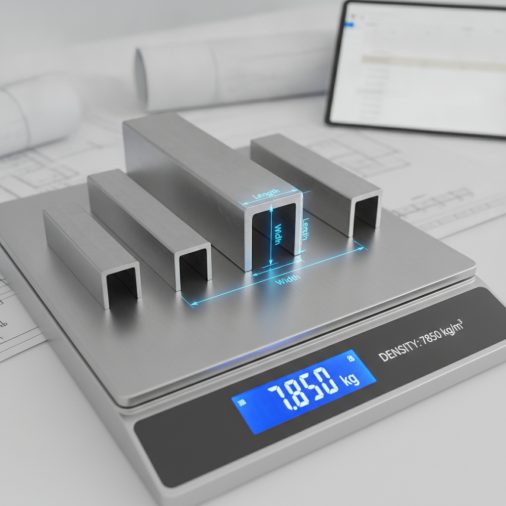

Estimating metal weight accurately before ordering or fabricating saves time, money, and avoids costly over-ordering. This metal weight calculator covers the most common section types stocked by general metal stockholders — flat bar, round bar, square bar, sheet and plate, round tube, and square tube — across five widely used alloys: mild steel, aluminium, stainless steel, copper, and brass. Enter your dimensions and quantity, and the calculator instantly returns the weight per metre, total length weight, and overall order weight so you can plan material budgets, check structural loads, and prepare accurate purchase orders.
Aalco Metal Weight Calculator: Instant Bar, Sheet & Tube Mass Estimator
Calculate the weight of common metal sections including flat bar, round bar, square bar, sheet, plate, round tube, and square tube in steel, aluminium, stainless steel, copper, and brass.
How to Use This Calculator

Follow these steps to get an accurate weight estimate:
- Select your metal type — choose the alloy that matches your material specification. Each alloy has a different density which directly affects the result.
- Select your section type — pick the profile that matches your stock: flat bar, round bar, square bar, sheet/plate, round tube, or square tube.
- Enter the dimensions — fill in the width, thickness, diameter, or wall thickness fields that become relevant for your chosen section. Unused fields do not affect the calculation.
- Enter the length — type the total length of a single piece in millimetres.
- Enter the quantity — the number of identical pieces you need.
- Read the results — the calculator shows weight per metre, weight per piece, and total order weight instantly.
Understanding the Calculator Inputs

Metal Type: Select the alloy that matches your material. The density value shown in brackets is the figure used in the calculation. Mild steel at 7850 kg/m³ is the standard structural default. Stainless steel 304 runs slightly heavier at 8000 kg/m³. Aluminium 6082 is roughly one-third the weight of steel at 2700 kg/m³, making it important to select correctly — an aluminium order calculated as steel will appear nearly three times heavier than reality. Copper (8960 kg/m³) and brass (8500 kg/m³) are both denser than steel and are common in electrical and plumbing applications.
Section Type: Choose the profile that matches your stock. Flat Bar uses width × thickness. Round Bar uses the full circular cross-section based on diameter. Square Bar uses width × width (a square cross-section, so only the width field is needed). Sheet / Plate uses the same formula as flat bar — width × thickness — and is listed separately for clarity since sheet and plate are ordered differently from bar. Round Tube calculates the annular area between the outer diameter and the inner diameter derived from wall thickness. Square Tube subtracts the hollow inner square from the outer square using the wall thickness.
Width: For flat bar, sheet, and square tube this is the outer width in millimetres. For square bar, width is also the side length. Leave this at its default if you are calculating a round bar or round tube — the diameter field governs those sections.
Thickness: For flat bar and sheet this is the material thickness. For round tube and square tube this is the wall thickness — not the outer dimension. Entering the wrong value here (for example, entering the outer diameter instead of wall thickness for a tube) will produce a significantly incorrect result.
Diameter: Used only for round bar and round tube. Enter the outer diameter in millimetres. For round tube, the inner diameter is calculated automatically as outer diameter minus two times the wall thickness.
Length per Piece: The cut length of a single piece in millimetres. A standard 6-metre bar is 6000 mm. A 3-metre sheet is 3000 mm.
Quantity: The number of identical pieces. Multiply this up for your full order to get the total order weight.
Understanding Your Results
Cross-Sectional Area (mm²): The solid material area of the profile at any cross-section perpendicular to its length. This is a useful intermediate value for structural engineers checking section properties or comparing profiles.
Weight per Metre (kg/m): The mass of one linear metre of the selected section and alloy. This matches the figures published in standard metal stockholder catalogues and is useful for quick mental checks against published data.
Weight per Piece (kg): The mass of a single piece at the length you entered. Use this to check handling requirements — pieces over 25 kg typically require mechanical lifting assistance under most workplace safety guidelines.
Total Order Weight (kg): The combined mass of all pieces at the quantity you entered. Use this for transport planning, floor loading checks, and purchase order documentation.
Total Order Weight (tonnes): The same total expressed in metric tonnes (1 tonne = 1000 kg). Useful when comparing against vehicle payload limits or crane safe working loads.
Estimated Volume per Piece (cm³): The physical volume of material in one piece. This can be used to cross-check against material cost per kilogram or to estimate displacement in fluid applications.
Calculation Formulas Explained
All weight calculations follow the same fundamental relationship: Mass = Volume × Density. Volume is the cross-sectional area multiplied by the length. Density is the material-specific value in kg/m³.
Because dimensions are entered in millimetres, a unit conversion factor is applied. Area in mm² multiplied by length in mm gives volume in mm³. Dividing by 1,000,000,000 (10⁹) converts mm³ to litres, and dividing by a further 1000 gives m³. Multiplying by density in kg/m³ then gives kilograms. In the formulas this is combined into a single divisor of 10¹² (1,000,000,000,000) for the per-piece weight.
Flat Bar and Sheet/Plate: Area = width_mm × thickness_mm
Round Bar: Area = π × (diameter_mm / 2)² where π = 3.14159265
Square Bar: Area = width_mm × width_mm
Round Tube: Area = π × [(outer radius)² − (inner radius)²] where inner radius = (diameter_mm / 2) − thickness_mm
Square Tube: Area = (outer width)² − (inner width)² where inner width = width_mm − (2 × thickness_mm)
The density selector uses numeric option values (kg/m³) directly in the formula, so switching alloy automatically rescales every result without any additional conversion step.
Worked Example
Scenario: A fabricator needs to order 20 pieces of 50 mm × 6 mm mild steel flat bar, each cut to 2400 mm, and wants to know the total delivery weight.
- Set Metal Type to Mild Steel (7850 kg/m³).
- Set Section Type to Flat Bar.
- Set Width to 50 mm.
- Set Thickness to 6 mm.
- Set Length per Piece to 2400 mm.
- Set Quantity to 20.
Cross-sectional area: 50 × 6 = 300 mm²
Weight per metre: 300 × 7850 ÷ 1,000,000,000 = 0.002355 kg/mm = 2.355 kg/m
Weight per piece: 300 × 7850 × 2400 ÷ 1,000,000,000,000 = 5.652 kg
Total order weight: 5.652 × 20 = 113.04 kg (0.1130 tonnes)
This matches the published catalogue figure of approximately 2.36 kg/m for 50 × 6 mild steel flat bar, confirming the calculation is correct. The fabricator can now confirm the delivery vehicle payload is sufficient and budget for the material cost per kilogram.
How to Interpret the Results
Compare the weight per metre result against published stockholder data as a sanity check — most reputable suppliers publish kg/m figures in their catalogues and these should agree to within 1–2% of this calculator’s output, with minor differences due to rounding of density values.
Use the weight per piece result to assess manual handling requirements. In most occupational health frameworks, loads above 20–25 kg require a risk assessment or mechanical assistance. A single 6-metre length of 100 mm × 10 mm mild steel flat bar weighs approximately 47 kg — well above safe single-person lift limits.
Use the total order weight in tonnes to check against vehicle payload ratings. A standard 3.5-tonne van has a typical payload of around 1 tonne after driver and equipment. Larger orders may require a flatbed or hiab delivery.
When working with aluminium sections that will later be welded, the weight saving over steel is significant — roughly 65% lighter for the same section size. If you are planning welding work on aluminium or other metals, understanding which metals cannot be MIG welded is an important step before committing to a fabrication method.
Common Mistakes to Avoid
- Confusing outer diameter with wall thickness for tubes: The most frequent error. For a 50 mm OD round tube with a 3 mm wall, enter 50 in the diameter field and 3 in the thickness field — not 50 and 50.
- Entering length in metres instead of millimetres: A 6-metre bar should be entered as 6000, not 6. Entering 6 will produce a result 1000 times too small.
- Using the wrong alloy density: Selecting steel when the material is aluminium will overestimate weight by a factor of nearly three. Always confirm the alloy grade before selecting.
- Treating sheet and plate as the same as flat bar without checking width: Sheet is often ordered by sheet size (e.g., 2500 mm × 1250 mm). Enter the full sheet width and the sheet thickness, then set quantity to the number of sheets.
- Ignoring kerf and offcut waste: This calculator gives the weight of finished cut pieces. It does not account for saw kerf, offcut waste, or mill tolerance on length. Add 2–5% to your order weight estimate for practical purchasing.
- Assuming square bar uses both width and thickness fields: Square bar has equal sides, so only the width field is used. The thickness field is ignored for square bar sections.
Limitations and Important Notes
This calculator uses nominal density values that are representative of common alloy grades but may differ slightly from the exact certified density of a specific heat or batch. Mild steel density can range from approximately 7800 to 7870 kg/m³ depending on carbon content and alloying elements. Aluminium alloys range from around 2640 to 2800 kg/m³ across different tempers and grades.
The calculator assumes perfectly uniform cross-sections with no mill camber, taper, or surface coating. Hot-rolled sections may carry mill scale that adds a small amount of mass not reflected here. Painted, galvanised, or powder-coated sections will be marginally heavier than the bare metal weight shown.
Structural hollow sections (SHS, RHS, CHS) manufactured to EN 10219 or EN 10210 have corner radii that slightly reduce the cross-sectional area compared to the sharp-cornered model used here. The difference is typically less than 2% for standard wall thicknesses.
This tool is intended for planning, estimating, and purchasing purposes only. It is not a substitute for certified material test reports, structural engineering calculations, or load-bearing design verification. Always consult a qualified structural engineer for safety-critical applications.
Frequently Asked Questions
What density does this calculator use for mild steel?
This calculator uses 7850 kg/m³ for mild steel, which is the standard nominal density used by most metal stockholders and structural engineering references for low-carbon steel. The actual density of a specific steel grade can vary between approximately 7800 and 7870 kg/m³ depending on carbon content and alloying additions, but 7850 kg/m³ is accurate enough for ordering and planning purposes and matches the figures published in most steel section tables.
How do I calculate the weight of a rectangular hollow section (RHS)?
A rectangular hollow section has two different outer dimensions — width and height — which makes it a different profile from the square tube option in this calculator. To approximate an RHS weight, you can run two separate calculations: one for the full solid rectangle and one for the hollow inner rectangle, then subtract the second from the first manually. Alternatively, treat the RHS as two flat bars of the flange thickness and two flat bars of the web thickness, sum the four weights, and multiply by length. For precise RHS weights, refer to the manufacturer’s published section tables which account for corner radii.
Why does the aluminium result look so much lighter than steel for the same dimensions?
Aluminium has a density of approximately 2700 kg/m³ compared to 7850 kg/m³ for mild steel — meaning aluminium is roughly 65% lighter for an identical volume of material. This is one of the primary reasons aluminium is used in aerospace, automotive, and architectural applications where weight reduction is critical. When planning fabrication projects that mix steel and aluminium components, calculating each material separately and summing the results gives the most accurate total weight estimate.
Can I use this calculator for stainless steel grades other than 304?
The calculator uses 8000 kg/m³ for stainless steel, which is the standard density for austenitic grades including 304 and 316. Grade 316 has a density of approximately 7990–8010 kg/m³, so the difference is negligible for practical purposes. Ferritic grades such as 430 are slightly lighter at around 7700 kg/m³, and duplex grades such as 2205 are around 7800 kg/m³. If you are working with a ferritic or duplex grade, the mild steel density option (7850 kg/m³) will give a closer approximation than the stainless steel option for those specific grades.
How accurate is this calculator compared to published stockholder catalogues?
For standard sections in mild steel, the results should agree with published catalogue weights to within 1–2%. Small differences arise from rounding of the density value, the use of π to 8 decimal places rather than a truncated value, and the fact that published catalogue weights sometimes incorporate a small allowance for mill tolerance. If you notice a consistent discrepancy larger than 2%, check that you have selected the correct section type and that all dimensions are entered in millimetres rather than centimetres or metres.
Does the calculator account for the weight of welds or fasteners?
No. This calculator estimates the weight of the parent metal sections only. Weld metal, bolts, nuts, washers, adhesives, and surface coatings all add mass that is not included. For lightly welded fabrications the additional weld metal weight is typically less than 1% of the parent metal weight and can be ignored for ordering purposes. For heavily welded structures such as box girders or pressure vessels, weld metal weight can be more significant and should be estimated separately. If you are planning a welded fabrication, understanding AWS filler metal classifications can help you select the right consumable for your base material.
What is the difference between sheet and plate in metal stockholding?
The distinction between sheet and plate is primarily one of thickness and sometimes width, and it varies between suppliers and standards. As a general rule, material up to 3 mm thick is called sheet, while material 3 mm and above is called plate, though some suppliers use 6 mm as the dividing line. Both are calculated using the same width × thickness formula in this calculator. The practical difference matters for ordering because sheet is often supplied in standard sizes (such as 2500 × 1250 mm or 3000 × 1500 mm) while plate may be cut to order from wider coil or slab stock.
How do I estimate the weight of a full standard stock length bar?
Most mild steel bar and section is stocked in 6-metre lengths, though 3-metre, 4.5-metre, and 7.5-metre lengths are also common depending on the section. To find the weight of a full 6-metre bar, enter 6000 in the length field and set quantity to 1. The weight per piece result gives you the single bar weight. Multiply by the number of bars you need, or use the quantity field to get the total directly. Knowing the weight per bar is also useful when planning cutting operations and organising material handling on site.