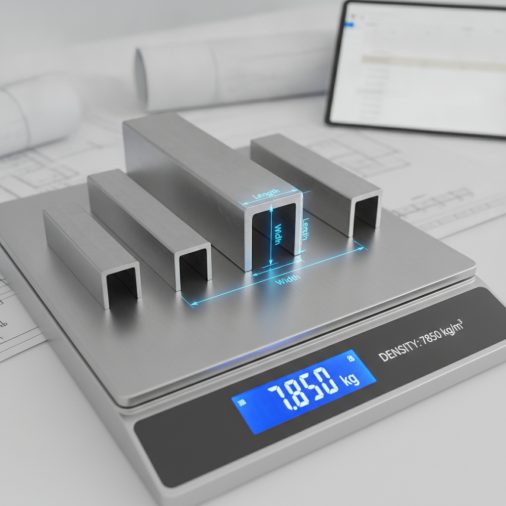
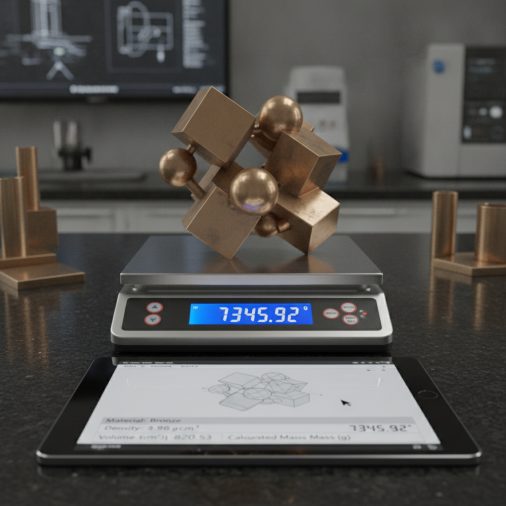
Bronze is a dense copper-tin alloy widely used in bearings, bushings, sculptures, marine hardware, and architectural fittings. Knowing the exact weight of a bronze component before you order, machine, or ship it saves time, money, and guesswork. This bronze metal weight calculator estimates the mass of the most common bronze shapes — flat bar, round bar, square bar, tube, and sheet — using the alloy’s standard density and your chosen dimensions, giving you results in both kilograms and pounds without any manual arithmetic.
Bronze Metal Weight Calculator: Instant Mass Estimator for Any Shape
Calculate the weight of bronze bars, sheets, tubes, and rods instantly using density-based formulas. Supports metric and imperial units.
How to Use This Calculator
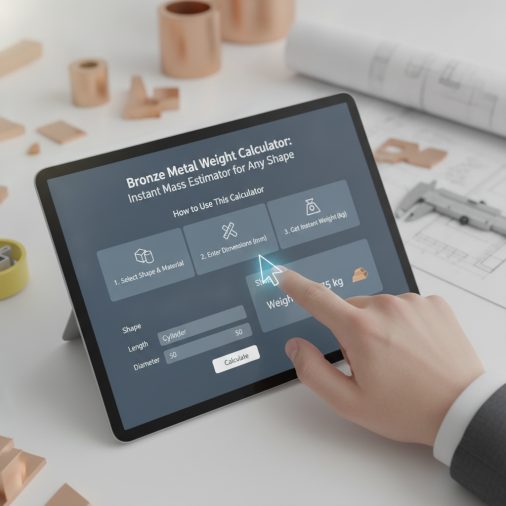
Follow these steps to get an accurate bronze weight estimate:
- Select your unit system — choose millimetres/kilograms or inches/pounds. All dimension fields update to match.
- Choose a bronze alloy — different alloys have slightly different densities. Select the closest match to your material.
- Pick a shape — flat bar, round bar, square bar, hollow tube, or sheet/plate.
- Enter your dimensions — fill in the length, width, diameter, wall thickness, or other fields relevant to your chosen shape. Unused fields are ignored.
- Set the quantity — if you need multiple identical pieces, enter the count.
- Read the results — the calculator displays volume, weight per piece, and total weight instantly.
Understanding the Calculator Inputs
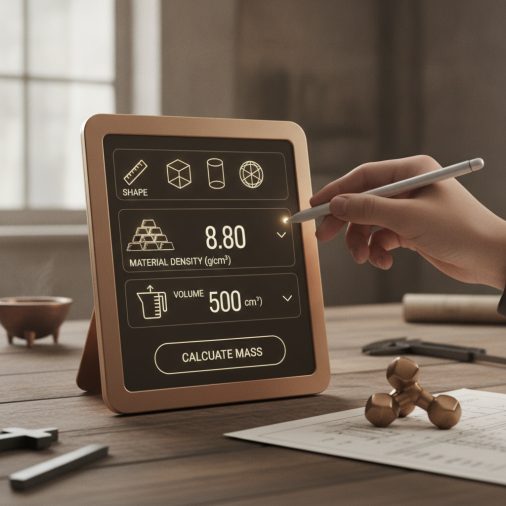
Unit System: Choose Metric (mm, kg) if your drawings use millimetres, or Imperial (in, lb) if dimensions are in inches. The conversion factor is applied automatically inside every formula, so you never need to convert manually.
Bronze Alloy: Each alloy option stores its density in kg/m³. Phosphor Bronze C510 (8,860 kg/m³) is the densest common wrought alloy and is widely used for springs and electrical contacts. Aluminum Bronze C954 (7,450 kg/m³) is the lightest option here and is popular for heavy-duty bushings and marine propellers. Commercial Bronze C220 (8,800 kg/m³) covers general architectural and decorative work. Manganese Bronze C863 and Silicon Bronze C655 share a density of 8,300 kg/m³ and are common in marine and structural fasteners. Bearing Bronze C932 (8,930 kg/m³) is the densest option and is used for high-load sleeve bearings.
Shape: Select the cross-section that matches your stock. Flat Bar / Sheet uses length × width × thickness. Round Bar / Rod uses the outer diameter only — leave wall thickness at its default. Square Bar uses a single side length. Hollow Round Tube requires both outer diameter and wall thickness. Hexagonal Bar uses the distance across flats as the side input.
Length: Enter the cut length of one piece in millimetres or inches depending on your unit selection.
Width and Thickness: These fields apply only to flat bar and sheet. Width is the shorter face dimension; thickness is the smallest dimension.
Outer Diameter: Used for round bar and hollow tube. Enter the full outside diameter, not the radius.
Wall Thickness: Applies to hollow tube only. The inner radius is calculated as (outer diameter / 2) − wall thickness. If wall thickness equals or exceeds the radius, the result will be zero or negative — the calculator will return zero volume in that case.
Side Length: Used for square bar and hexagonal bar. For a hex bar, enter the across-flats dimension (the wrench size).
Quantity: Enter the number of identical pieces. The per-piece results remain unchanged; only the total weight and cost results multiply by this value.
Understanding Your Results
Volume per Piece shows the geometric volume of one piece converted to cubic centimetres (cm³). This is useful for checking your inputs against a known volume or for calculating fluid displacement.
Weight per Piece (kg) is the mass of a single piece in kilograms, calculated by multiplying volume by the alloy density.
Weight per Piece (lb) is the same mass converted to pounds using the factor 2.20462 lb/kg, convenient for US suppliers who quote freight by the pound.
Total Weight (kg) multiplies the per-piece weight by your quantity. Use this for shipping manifests, structural load calculations, or purchase orders.
Total Weight (lb) is the total mass in pounds — useful when working with US freight carriers or suppliers who price bronze by the pound.
Estimated Material Cost (USD) applies a rough indicative rate of $4.50 per pound to the total weight. This is a planning estimate only. Bronze spot prices fluctuate daily with copper and tin markets. Always confirm current pricing with your supplier before purchasing.
Calculation Formulas Explained
All weight calculations follow the same fundamental relationship:
Mass = Volume × Density
Volume is computed differently for each cross-section:
- Flat Bar / Sheet: Volume = length × width × thickness
- Round Bar: Volume = π × (diameter / 2)² × length, where π ≈ 3.14159265
- Square Bar: Volume = side² × length
- Hollow Tube: Volume = π × [(outer radius)² − (inner radius)²] × length, where inner radius = (diameter / 2) − wall
- Hexagonal Bar: Volume = (√3 / 2) × side² × length ≈ 0.86602540 × side² × length, where side is the across-flats dimension
Dimensions entered in millimetres are converted to cubic centimetres by multiplying by 0.000001 (since 1 cm³ = 1000 mm³ and 1 mm³ = 0.000001 cm³ — actually 1 cm³ = 1000 mm³, so the factor is 1/1000 per dimension cubed = 0.000001). Dimensions in inches are converted using 1 in³ = 16.387 cm³, so the factor is 0.000016387.
Density is stored in kg/m³ and divided by 1000 to convert to kg/cm³ (since 1 m³ = 1,000,000 cm³, dividing kg/m³ by 1,000,000 gives kg/cm³; the formula divides by 1000 after the volume is already in cm³, which is equivalent). The final mass is in kilograms. Pounds are obtained by multiplying kilograms by 2.20462.
Worked Example
Scenario: You need 6 pieces of Phosphor Bronze C510 hollow tube, each 300 mm long, with a 60 mm outer diameter and a 5 mm wall thickness.
- Select Metric (mm, kg) and Phosphor Bronze C510 (density 8,860 kg/m³).
- Select shape Hollow Round Tube.
- Enter Length = 300, Outer Diameter = 60, Wall Thickness = 5, Quantity = 6.
- Inner radius = (60 / 2) − 5 = 25 mm
- Outer radius = 60 / 2 = 30 mm
- Cross-sectional area = π × (30² − 25²) = 3.14159265 × (900 − 625) = 3.14159265 × 275 ≈ 863.94 mm²
- Volume per piece = 863.94 × 300 = 259,181 mm³ = 259.18 cm³
- Weight per piece = 259.18 cm³ × (8860 / 1,000,000) kg/cm³ ≈ 2.296 kg
- Weight per piece in lb = 2.296 × 2.20462 ≈ 5.062 lb
- Total weight = 2.296 × 6 ≈ 13.776 kg ≈ 30.37 lb
- Estimated cost = 30.37 lb × $4.50 ≈ $136.67
How to Interpret the Results
A result that seems unexpectedly high usually means dimensions were entered in the wrong unit — for example, entering millimetres when inches was selected, or vice versa. Double-check your unit system selection first.
For hollow tubes, if the wall thickness is more than half the outer diameter, the inner radius becomes negative and the formula returns zero. This is physically impossible — reduce wall thickness or increase outer diameter.
The estimated cost result is intentionally rough. Bronze is a commodity metal whose price tracks copper futures. The $4.50/lb placeholder is a mid-range retail figure for common alloys in small quantities as of recent years; industrial buyers purchasing in bulk will pay significantly less, while specialty alloys or small off-cuts may cost more. Always get a current quote from your metal supplier.
When using weight results for structural or load-bearing planning, add a safety margin of at least 10–15% to account for dimensional tolerances, surface finish stock, and any additional hardware. If you are working on a project that involves joining bronze components, understanding which metals respond well to MIG welding can help you plan your fabrication process alongside weight estimates.
Common Mistakes to Avoid
- Entering radius instead of diameter: The calculator expects the full outer diameter for round bar and tube. Entering the radius will give a volume four times smaller than the correct value.
- Mixing unit systems: Entering a length in millimetres while the unit system is set to inches will produce a result roughly 25 times too small. Always confirm the unit selector matches your dimension source.
- Using the wrong alloy density: Aluminum Bronze C954 is about 16% less dense than Bearing Bronze C932. Selecting the wrong alloy can introduce significant error, especially for large or heavy components.
- Forgetting to set quantity: The default quantity is 1. If you are ordering multiple pieces, update this field or your total weight will be understated.
- Applying the cost estimate as a firm price: The cost result is a rough planning figure. Bronze prices change with commodity markets. Never use this number for invoicing or formal procurement without a supplier quote.
- Ignoring machining allowance: If the bronze stock will be turned, milled, or ground to final size, the raw stock weight will be higher than the finished part weight. Calculate weight based on the raw stock dimensions, not the finished drawing dimensions.
Limitations and Important Notes
This calculator assumes a uniform, solid (or uniformly hollow) cross-section with no holes, keyways, chamfers, tapers, or other features. Complex machined parts will have lower actual weights than the raw stock estimate.
Density values are nominal figures sourced from standard alloy data sheets. Real material may vary by ±1–2% depending on the specific heat and temper, casting method, and supplier. For critical engineering applications, request a certified material test report (CMTR) from your supplier.
The hexagonal bar formula uses the across-flats dimension as the input. If your drawing specifies the across-corners dimension, multiply it by 0.86603 to get the across-flats value before entering it.
The cost estimate uses a fixed placeholder rate and does not reflect current market prices, freight, cutting charges, or minimum order quantities. It is provided for rough budgeting only and should not be used for formal quotations or financial decisions.
This tool is intended for planning and estimation purposes only. It does not constitute engineering advice. For structural, pressure-vessel, or safety-critical applications, consult a qualified mechanical or structural engineer.
Frequently Asked Questions
What is the density of bronze used in this calculator?
The calculator offers six alloy options with densities ranging from 7,450 kg/m³ for Aluminum Bronze C954 up to 8,930 kg/m³ for Bearing Bronze C932. The most commonly referenced “generic” bronze density of around 8,800–8,900 kg/m³ applies to copper-tin alloys like Commercial Bronze C220 and Phosphor Bronze C510. Always select the alloy closest to your actual material for the most accurate result, and verify the density against your supplier’s material data sheet if precision is critical.
How do I calculate the weight of a bronze sheet?
Select Flat Bar / Sheet as the shape, then enter the sheet’s length, width, and thickness in your chosen unit system. The calculator multiplies these three dimensions to get volume, then multiplies by the alloy density to get mass. For example, a 500 mm × 300 mm × 6 mm sheet of Commercial Bronze C220 has a volume of 900,000 mm³ (900 cm³) and weighs approximately 900 × 0.00880 ≈ 7.92 kg.
Can I use this calculator for copper or brass?
The calculator is specifically calibrated for bronze alloys. Brass (copper-zinc) has a density of roughly 8,400–8,700 kg/m³ depending on zinc content, and pure copper is approximately 8,960 kg/m³. While the shape formulas are identical, using a bronze alloy density for brass or copper will introduce error. For brass or copper, you would need a dedicated calculator with the correct density values for those materials.
Why does the hexagonal bar formula use 0.86602540?
A regular hexagon with an across-flats dimension s has an area of (√3 / 2) × s², where √3 ≈ 1.73205080. Dividing by 2 gives 0.86602540. This is the exact geometric constant for a regular hexagon expressed in terms of its across-flats (wrench) size, which is the standard way hex bar stock is specified in metal supply catalogues. Multiplying this area by the bar length gives the volume.
How accurate is the estimated material cost result?
The cost estimate uses a fixed indicative rate of $4.50 per pound, which represents a rough mid-range retail price for common bronze alloys in small quantities. Actual prices depend on the specific alloy, current copper and tin commodity prices, order quantity, supplier location, and any cutting or processing fees. Treat the cost result as a ballpark figure for early-stage budgeting only, and always obtain a current quote from your metal supplier before committing to a purchase.
Does wall thickness affect the tube weight calculation significantly?
Yes, significantly. For a 60 mm outer diameter tube, doubling the wall thickness from 5 mm to 10 mm increases the cross-sectional metal area from 275 mm² to 500 mm² — an 82% increase in weight for the same length. This is because the area of the annular ring grows with the square of the radii difference. Always enter the correct wall thickness; even a 1–2 mm error on thin-walled tubing can produce a meaningful weight discrepancy across a large order.
How do I account for machining stock when estimating weight?
When a bronze part will be machined from bar or tube stock, calculate the weight based on the raw stock dimensions (the size you will order), not the finished part dimensions. The difference between raw stock weight and finished part weight is the machining allowance — material that will be removed as chips. For rough planning, add 10–20% to the finished part volume to estimate the raw stock size needed, then enter those larger dimensions into the calculator.
Is bronze considered a difficult metal to work with in fabrication?
Bronze is generally considered a machinable and weldable material, though its behaviour varies by alloy. Phosphor bronze and bearing bronze machine well but can work-harden if cutting speeds are too low. Silicon bronze is one of the more weldable copper alloys and is often joined by TIG or MIG processes. Aluminum bronze is harder and more abrasion-resistant, making it tougher to machine. If you are planning to weld bronze components as part of a larger fabrication project, reviewing which metals are compatible with MIG welding and consulting an AWS filler metal classification chart will help you select the right process and consumables.