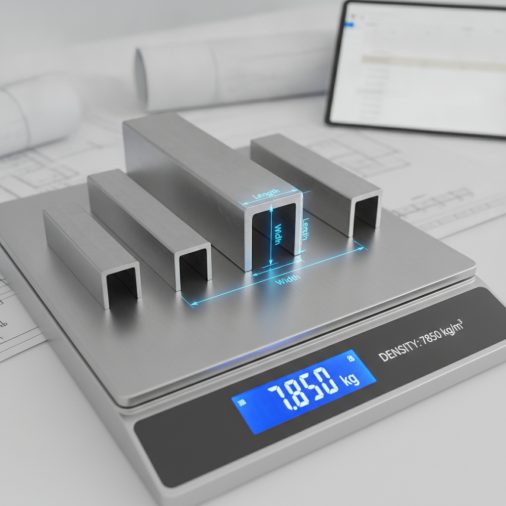
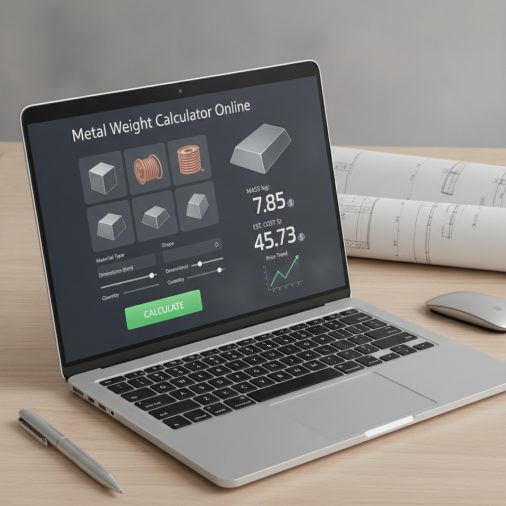
Whether you’re ordering steel for a fabrication job, estimating shipping weight for a structural project, or budgeting raw material costs, knowing the exact weight of your metal stock before you cut saves time and money. This metal calculator online lets you select a metal alloy, choose a standard shape — flat bar, round bar, square bar, tube, or sheet — enter your dimensions, and instantly get the volume, weight in both pounds and kilograms, and an estimated material cost based on a price-per-pound you supply. All formulas use standard density values and straightforward geometry so every result is transparent and easy to verify.
Metal Weight Calculator Online: Instant Mass & Cost Estimator
Calculate the weight, volume, and estimated material cost of common metal shapes and alloys instantly with this free metal calculator online.
How to Use This Calculator
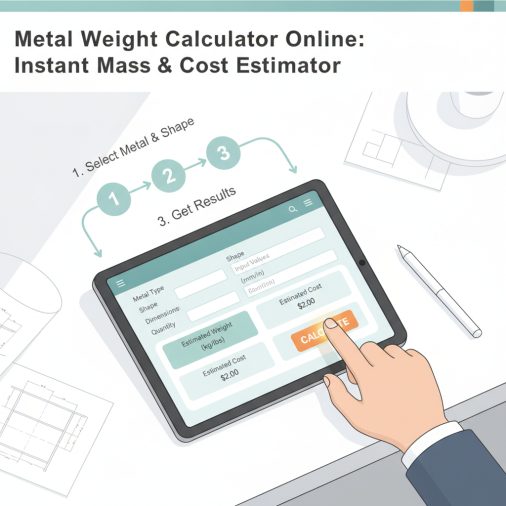
Follow these steps to get an accurate weight and cost estimate for your metal stock:
- Select your metal alloy — choose from mild steel, stainless steel 304, aluminum 6061, copper, brass, or titanium. Each carries a different density that drives the weight calculation.
- Choose the shape — flat bar/sheet, round bar/rod, square bar, round tube/pipe, or square tube. The calculator will use the appropriate cross-section formula for that shape.
- Enter your dimensions — width, height/diameter, wall thickness (for tubes), and length. All dimensions are entered in inches; the calculator converts internally.
- Set the quantity — if you need multiple pieces, enter the count and the total weight and cost will scale accordingly.
- Enter your price per pound — use a current quote from your supplier. The default is a rough mid-market estimate; always replace it with your actual price for accurate cost results.
- Read your results — volume in cubic inches, weight per piece in pounds and kilograms, total weight, and estimated total material cost are all displayed instantly.
Understanding the Calculator Inputs
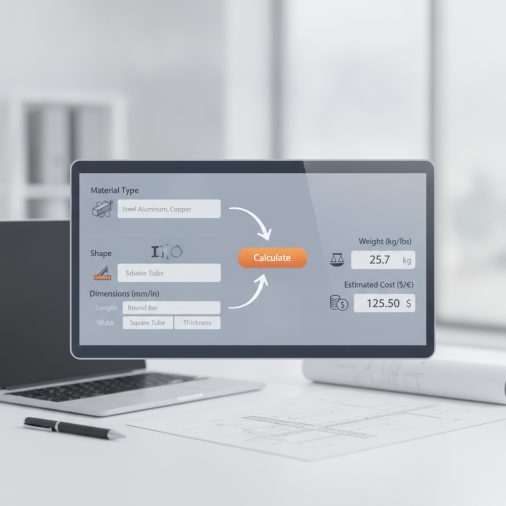
Metal / Alloy sets the density used in every weight calculation. Mild steel (A36) at 0.2836 lb/in³ is the most common structural choice. Stainless 304 is slightly denser at 0.290 lb/in³ and is widely used in food-grade and corrosion-resistant applications. Aluminum 6061 at 0.0975 lb/in³ is roughly one-third the weight of steel, making it popular for aerospace and automotive parts. Copper and brass are heavier than steel by volume, which surprises many first-time buyers. Titanium Grade 2 sits between aluminum and steel in density but offers exceptional strength-to-weight ratio.
Shape determines which cross-section geometry formula is applied. Flat Bar / Sheet uses a simple rectangular cross-section (width × height). Round Bar / Rod uses a full circular cross-section based on the outer diameter. Square Bar uses a solid square cross-section (width × width). Round Tube / Pipe subtracts the hollow inner circle from the outer circle using the wall thickness. Square Tube subtracts the inner square area from the outer square area using the wall thickness.
Width applies to flat bar, square bar, and square tube. For square bar and square tube, the calculator assumes a true square cross-section, so only one side dimension is needed. Height / Thickness applies only to flat bar and sheet — it is the thinner dimension of the rectangle. Outer Diameter applies to round bar and round tube. Wall Thickness applies only to round tube and square tube; entering a wall thickness larger than half the outer diameter or half the width will produce an unrealistic result, so always verify your tube specs. Length is the cut length of a single piece in inches. To convert feet to inches, multiply by 12. Quantity multiplies the per-piece weight and cost by the number of identical pieces you need. Price per Pound should come from your current supplier quote; metal prices fluctuate daily and the default is only a rough placeholder.
Understanding Your Results
Volume per Piece is the geometric volume of one piece in cubic inches, calculated purely from your dimension inputs and the shape formula. It does not depend on the alloy selected. Use this figure to cross-check your inputs or to calculate volume for a different density not listed.
Weight per Piece multiplies the volume by the alloy density in lb/in³ to give the mass of a single piece in pounds. This is the most commonly needed figure for shipping quotes, load calculations, and material handling planning.
Weight per Piece (kg) converts the pound figure by multiplying by 0.453592, giving the SI unit mass. Use this when working with metric drawings, international suppliers, or structural engineers using SI standards.
Total Weight (lb) and Total Weight (kg) multiply the per-piece weight by your quantity. These figures are what you need for freight quotes, truck load planning, and purchase order weight fields.
Estimated Material Cost is the total weight in pounds multiplied by your price-per-pound input. It covers raw material only — it does not include cutting charges, delivery, taxes, or fabrication labor. Always add a contingency margin for offcuts and waste.
Calculation Formulas Explained
All weight calculations follow the same two-step logic: Volume (in³) × Density (lb/in³) = Weight (lb).
- Flat Bar / Sheet: Volume = width × height × length. A 2 in × 0.25 in × 48 in bar has a volume of 24 in³.
- Round Bar / Rod: Volume = π × (diameter/2)² × length. Pi is approximated as 3.14159265. A 1 in diameter, 48 in long rod has volume = 3.14159265 × 0.25 × 48 = 37.699 in³.
- Square Bar: Volume = width² × length. The calculator assumes a perfect square cross-section.
- Round Tube / Pipe: Volume = π × [(OD/2)² − (ID/2)²] × length, where ID/2 = OD/2 − wall. This subtracts the hollow bore from the full cylinder.
- Square Tube: Volume = [width² − (width − 2×wall)²] × length. The inner square side equals width minus twice the wall thickness.
Weight in pounds = Volume × density (lb/in³). Weight in kg = Weight (lb) × 0.453592. Total weight = Weight per piece × quantity. Estimated cost = Total weight (lb) × price per pound.
Worked Example
Scenario: You need 10 pieces of 2 in × 2 in × 0.125 in wall mild steel square tube, each 60 inches long, and your supplier charges $0.72 per pound.
- Select Mild Steel (A36) — density = 0.2836 lb/in³.
- Select Square Tube.
- Set Width = 2 in, Wall = 0.125 in, Length = 60 in.
- Inner side = 2 − 2 × 0.125 = 1.75 in. Cross-section area = 2² − 1.75² = 4 − 3.0625 = 0.9375 in².
- Volume per piece = 0.9375 × 60 = 56.25 in³.
- Weight per piece = 56.25 × 0.2836 = 15.953 lb (≈ 15.95 lb).
- Weight per piece in kg = 15.953 × 0.453592 = 7.234 kg.
- Total weight = 15.953 × 10 = 159.53 lb.
- Estimated cost = 159.53 × $0.72 = $114.86.
This matches published weight tables for 2×2×0.125 HSS within normal rounding tolerance, confirming the formula is working correctly.
How to Interpret the Results
A result that seems unexpectedly high usually means a dimension was entered in the wrong unit — for example, entering millimeters instead of inches will inflate the volume by roughly 16× for a single dimension. Always double-check that all dimensions are in inches before trusting the output.
For structural planning, compare your total weight against the rated capacity of your lifting equipment, trailer, or floor loading spec. If you’re estimating shipping freight, add 5–10% to the calculated weight to account for packaging, dunnage, and banding. For material purchasing, add at least 10–15% to the quantity to cover saw kerf, offcuts, and any pieces that fail inspection. If you’re working on a welding project and need to match filler metal to your base material, the AWS filler metal classification guide is a useful companion reference.
Common Mistakes to Avoid
- Mixing units: The most frequent error is entering some dimensions in millimeters and others in inches. Convert everything to inches first — divide millimeters by 25.4.
- Using nominal pipe size as outer diameter: Nominal pipe size (NPS) is not the actual OD. Always look up the actual OD from a pipe schedule chart and use that value in the diameter field.
- Ignoring wall tolerance: Tube and pipe wall thickness has a manufacturing tolerance, typically ±10%. The calculated weight is a theoretical value based on nominal dimensions.
- Treating estimated cost as a final quote: The cost result covers raw material weight only. Cutting fees, minimum order charges, delivery, and taxes are not included.
- Using the wrong alloy density: There are many grades of stainless steel, aluminum, and brass. The densities used here are representative values for the listed grades. Exotic alloys or heavily alloyed variants may differ slightly.
- Forgetting to update price per pound: Metal commodity prices change frequently. The default value is a rough placeholder — always replace it with a current supplier quote before making purchasing decisions.
Limitations and Important Notes
This calculator assumes uniform, solid or uniformly hollow cross-sections with no holes, notches, tapers, or surface coatings. It does not account for mill scale, galvanizing, paint, or plating, which can add a small amount of weight. Density values are standard reference figures for the listed alloys at room temperature; actual mill-certified densities may vary slightly by heat and specification. The calculator does not handle I-beams, channels, angles, or other structural profiles with complex cross-sections — those require section-specific weight-per-foot tables from the steel producer. Results are planning estimates intended to support purchasing, logistics, and preliminary engineering decisions. They are not a substitute for certified mill test reports, structural engineering calculations, or official freight documentation. Always verify critical weight figures with your material supplier or a licensed engineer before committing to a structural design or load plan.
Frequently Asked Questions
How accurate is this metal weight calculator compared to a certified mill weight?
For standard shapes made to nominal dimensions, this calculator typically agrees with published mill weight tables within 1–3%. The small difference comes from manufacturing tolerances on thickness and diameter, mill scale, and the fact that published tables sometimes use slightly rounded density values. For purchasing and logistics planning this accuracy is more than sufficient. For certified structural calculations, always use the actual measured dimensions and the density from the material’s mill test report.
Can I use this calculator for aluminum extrusions?
You can use it for simple aluminum extrusions that match one of the five supported shapes — round rod, square bar, flat bar, round tube, or square tube. Complex extrusion profiles such as T-slots, angles, channels, or custom architectural sections have irregular cross-sections that cannot be captured by simple geometry formulas. For those shapes, use the linear weight (lb/ft) value published in the extrusion manufacturer’s catalog and multiply by your length in feet.
Why does the calculator only support inches and not millimeters?
All dimension inputs are in inches to keep the density values (in lb/in³) consistent with the volume calculation without requiring an extra unit-conversion step. If your drawings are in millimeters, divide each dimension by 25.4 to convert to inches before entering it. For example, a 50 mm wide flat bar becomes 50 ÷ 25.4 = 1.969 inches. The kilogram result is still provided for metric users who need SI output.
What density value does the calculator use for mild steel?
Mild steel (A36) is assigned a density of 0.2836 lb/in³, which is equivalent to approximately 7.85 g/cm³ or 490 lb/ft³. This is the widely accepted standard reference density for low-carbon structural steel and matches the value used in AISC steel construction tables. It applies well to A36, A572, and most common hot-rolled structural steels.
How do I calculate the weight of a metal sheet in this calculator?
Select Flat Bar / Sheet as the shape. Enter the sheet width in the Width field, the sheet thickness in the Height / Thickness field, and the sheet length in the Length field. For example, a 48 in × 96 in sheet that is 0.125 in thick would be entered as Width = 48, Height = 0.125, Length = 96. Set Quantity to the number of sheets you need and the calculator will give you the total weight and estimated cost. If you’re planning to weld sheet metal afterward, check out this guide on MIG welding sheet metal techniques for setup tips.
Does the price-per-pound field include processing or just raw material?
The price-per-pound field is intended for raw material cost only — the price your supplier charges per pound of stock before any cutting, bending, or finishing. Processing fees, saw cutting charges, minimum order surcharges, freight, and sales tax are not included in the estimated cost result. To get a more realistic total project material cost, add those line items manually after getting the raw weight from the calculator.
Can I use this tool to estimate welding rod or filler wire consumption?
This calculator estimates the weight of base metal stock, not filler metal consumption. Filler metal usage depends on joint type, bevel angle, number of passes, and process efficiency — variables that require a separate weld volume calculation. For guidance on matching filler metal to your base material and process, the welding rod settings and amperage chart covers electrode selection and parameter ranges for common metals and thicknesses.
Why is copper heavier than steel by volume according to this calculator?
Copper (C110) has a density of approximately 0.324 lb/in³ compared to mild steel at 0.2836 lb/in³, making copper about 14% denser by volume. This is a real physical property — copper atoms are heavier and pack more tightly than iron atoms in their respective crystal structures. Brass is similarly dense because it is primarily copper alloyed with zinc. This is why copper plumbing and electrical bus bars feel surprisingly heavy for their size compared to steel components of the same dimensions.