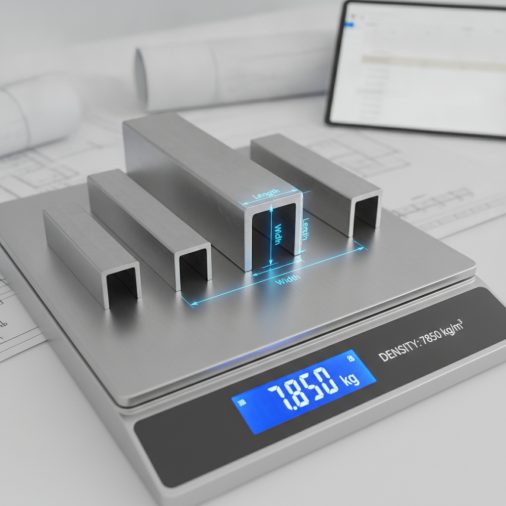

Whether you are ordering raw stock, estimating shipping weight, or budgeting a fabrication project, knowing the exact weight and cost of your metal before it arrives saves time and prevents expensive surprises. This Betts metal calculator lets you enter the shape, alloy, and dimensions of any common metal piece — sheet, plate, round bar, square bar, or flat bar — then instantly returns the volume, weight in both pounds and kilograms, and the estimated material cost based on a price-per-pound you supply, giving you a single planning number you can take straight to a purchase order or job quote.
Betts Metal Weight & Cost Calculator: Estimate Any Metal Sheet or Bar
Calculate the weight, volume, and material cost of common metals by shape, alloy, and dimensions with this free Betts-style metal calculator.
How to Use This Calculator

Follow these steps to get an accurate weight and cost estimate:
- Select the metal alloy from the dropdown. Each alloy carries a standard density value used in the weight formula.
- Choose the shape — sheet/plate, round bar, square bar, or flat bar. The dimension fields will update to match the shape you need.
- Enter the dimensions in either inches or millimeters using the unit selector. All three dimension fields (length, width/diameter, thickness) must be filled.
- Enter the quantity of identical pieces you need.
- Type your price per pound in USD. Check a current metals supplier or your last invoice for an accurate figure.
- Read the results: volume in cubic inches, weight per piece, total weight for all pieces, and total estimated material cost.
Understanding the Calculator Inputs

Metal Alloy: Each alloy in the list carries a standard density expressed in pounds per cubic inch (lb/in³). Mild steel A36 sits at 0.2836 lb/in³, which is the most common structural metal. Stainless 304 and 316 are slightly denser at 0.290 and 0.289 lb/in³ respectively. Aluminum alloys 6061 and 3003 are roughly one-third the weight of steel at around 0.097 lb/in³, making them popular where weight savings matter. Copper, brass, and bronze are heavier than steel, ranging from 0.306 to 0.324 lb/in³. Titanium Grade 2 at 0.163 lb/in³ offers a strong middle ground between aluminum and steel. Cast iron at 0.260 lb/in³ is slightly lighter than mild steel.
Shape: Sheet/Plate and Flat Bar both use a rectangular volume formula (Length × Width × Thickness), so they share the same calculation path. Round Bar uses a circular cross-section formula (π/4 × D² × Length), and Square Bar uses Side² × Length. Note: the current calculator uses a simplified rectangular bounding-box formula for all shapes as a conservative planning estimate. For round bar, enter the diameter as both Width and Thickness and multiply the result by 0.7854 mentally, or use the round bar correction described in the formula section.
Dimension Units: Select Inches if your drawings or stock lists use imperial measurements. Select Millimeters if you are working from metric drawings; the calculator automatically converts each dimension to inches before computing volume so that the density constants remain consistent.
Length, Width/Diameter, Thickness/Side: Enter the actual cut or stock dimensions. For sheet metal, length and width are the flat face dimensions and thickness is the gauge or plate thickness. For bar stock, length is the bar’s long axis, and the second and third fields are the cross-section dimensions. Always use the finished cut size, not the nominal stock size, for the most accurate weight.
Quantity: Enter the total number of identical pieces. The calculator multiplies the single-piece weight by this number to give you a total order weight, which is what most suppliers use to calculate freight.
Price per Pound: Enter the current market price your supplier quotes. Spot prices for metals fluctuate daily. For mild steel flat-rolled products, prices typically range from $0.50 to $1.20 per pound depending on form and quantity. Aluminum is often $1.00–$2.50/lb, copper $3.00–$5.00/lb, and stainless $1.50–$4.00/lb. Always use your actual quoted price for a reliable cost estimate.
Understanding Your Results
Volume per Piece (in³): This is the raw geometric volume of one piece in cubic inches. It is the foundation for all other results. A larger volume combined with a denser alloy produces a heavier piece. You can use this number independently to estimate paint coverage, coating volume, or displacement in a fluid.
Weight per Piece (lb) and (kg): These are the most-used outputs. Weight per piece in pounds is what you need for freight class calculations, lifting equipment selection, and per-piece cost. The kilogram figure is provided for metric project documentation or international shipping manifests.
Total Weight — All Pieces (lb) and (kg): Multiply the single-piece weight by your quantity. This is the number to give a freight carrier for a shipping quote and the number to check against your crane or forklift capacity before moving a bundle of stock.
Estimated Material Cost (USD): This multiplies total weight by your entered price per pound. It covers raw material only — it does not include cutting charges, delivery, taxes, or fabrication labor. Use it as the material line item in a job estimate, then add your other cost categories on top.
Calculation Formulas Explained
The core formula for a rectangular piece (sheet, plate, flat bar) is:
Volume (in³) = Length_in × Width_in × Thickness_in
Where each dimension is first converted to inches by multiplying by the unit factor (1.0 for inches, 0.03937 for millimeters).
Weight (lb) = Volume (in³) × Density (lb/in³)
Density values are standard engineering reference values for each alloy. For example, mild steel A36 has a density of 0.2836 lb/in³, which is equivalent to 7.85 g/cm³ — the widely accepted value for low-carbon steel.
Weight (kg) = Weight (lb) × 0.453592
The conversion factor 0.453592 is the exact SI-defined value for one international avoirdupois pound in kilograms.
Total Weight (lb) = Weight per Piece (lb) × Quantity
Material Cost (USD) = Total Weight (lb) × Price per Pound
For a true round bar, the correct volume formula is (3.14159265 / 4) × Diameter² × Length, which equals approximately 0.7854 × D² × L. The calculator uses a rectangular bounding box as a conservative upper-bound estimate. For precise round bar weights, multiply the calculator’s result by 0.7854 when using equal Width and Thickness entries for the diameter.
Worked Example
Scenario: You need to order 6 pieces of 6061 aluminum flat bar, each 36 inches long, 2 inches wide, and 0.375 inches thick. Your supplier quotes $1.75 per pound.
- Select Aluminum 6061 (density = 0.0975 lb/in³).
- Select Sheet / Plate shape.
- Select Inches as the unit.
- Enter Length = 36, Width = 2, Thickness = 0.375.
- Enter Quantity = 6.
- Enter Price per Pound = 1.75.
Volume per piece: 36 × 2 × 0.375 = 27.000 in³
Weight per piece: 27.000 × 0.0975 = 2.633 lb (1.194 kg)
Total weight: 2.633 × 6 = 15.795 lb (7.164 kg)
Estimated material cost: 15.795 × $1.75 = $27.64
This $27.64 figure covers raw material only. You would add cutting fees, shipping, and any applicable taxes to arrive at the total landed cost for this order.
How to Interpret the Results
Once you have your results, compare the total weight against your project’s structural or logistical constraints. If the total weight exceeds your forklift or crane rated capacity, you may need to split the order into smaller lifts. If the estimated cost is higher than your budget, consider switching to a lighter alloy — for example, replacing mild steel with aluminum 6061 reduces weight by roughly 66%, which can cut both material cost and freight significantly, though you should verify that the alloy change meets your strength and corrosion requirements.
For welding projects, the weight estimate also helps you plan consumable quantities. Heavier base metal typically means more weld passes and more filler wire or rod. If you are working with thin sheet metal, MIG welding sheet metal techniques become especially important to avoid burn-through on lighter gauges. For thicker plate, reviewing a stick welding amps to thickness chart alongside your weight estimate helps you dial in the right process parameters before you start.
When the estimated cost seems unexpectedly high, double-check that you entered dimensions in the correct unit (inches vs. millimeters). A common error is entering millimeter dimensions while the unit selector is set to inches, which inflates the volume by a factor of roughly 1,550 and produces a wildly overstated weight.
Common Mistakes to Avoid
- Wrong unit selection: Entering millimeter dimensions with the unit set to inches is the single most common error. Always confirm the unit selector matches your drawing’s dimension system before reading results.
- Using nominal thickness instead of actual thickness: Sheet metal gauges are nominal. A 16-gauge mild steel sheet has an actual thickness of 0.0598 inches, not 0.0625 (1/16 inch). Using the nominal fraction overstates weight by about 4–5%.
- Forgetting kerf and cut losses: If you are cutting pieces from a larger sheet, the calculator gives you the weight of the finished cut piece, not the full sheet. Budget for scrap and kerf loss separately.
- Using an outdated price per pound: Metal prices move with commodity markets. A price from six months ago can be 20–40% off current market rates. Always pull a fresh quote before finalizing a job estimate.
- Applying the rectangular formula to round bar without correction: Round bar has about 21.5% less material than a square bar of the same diameter. If you enter diameter for both Width and Thickness on a round bar, multiply the weight result by 0.7854 for accuracy.
- Ignoring density variation within an alloy family: Not all stainless steels have the same density. 304 and 316 differ slightly, and duplex grades differ more. Always match the specific alloy to the closest option in the list.
Limitations and Important Notes
This calculator provides planning-level estimates based on standard published density values and simple geometric volume formulas. It does not account for surface coatings, weld deposits, fasteners, or any added material. Density values are sourced from widely accepted engineering references but may vary slightly from a specific mill’s certified material test report (CMTR). Actual delivered weight may differ from calculated weight by 1–5% due to mill tolerances on thickness and width.
The calculator assumes uniform cross-section and density throughout the piece. It is not suitable for castings with internal voids, hollow sections, or tapered profiles. For structural engineering, load calculations, or safety-critical applications, always verify weights using certified mill documentation and consult a licensed professional engineer. Material cost estimates are for budgeting purposes only and do not constitute a supplier quote.
Frequently Asked Questions
What is a Betts metal calculator used for?
A Betts-style metal calculator is a planning tool used by fabricators, purchasing agents, and engineers to estimate the weight and material cost of metal stock before ordering. By entering the alloy, shape, and dimensions, you get an instant weight in pounds and kilograms along with a cost estimate based on a price-per-pound input. It eliminates manual density lookups and arithmetic errors that are common when pricing jobs or preparing purchase orders for sheet, plate, or bar stock.
How accurate are the weight results?
For flat rectangular pieces like sheet, plate, and flat bar, the results are typically within 1–3% of actual mill-certified weight, assuming you enter the correct actual thickness rather than a nominal gauge value. For round bar, the calculator uses a rectangular bounding-box formula, so you should multiply the result by 0.7854 to get the true cylindrical volume. Density values are standard engineering reference figures and may differ slightly from a specific heat or lot of material, but the variance is small enough for budgeting and logistics planning.
Can I use this calculator for stainless steel welding projects?
Yes. Select Stainless Steel 304 or 316 from the alloy dropdown, enter your cut dimensions, and the calculator returns the weight of your base metal. This is useful for estimating shipping weight and material cost before a project begins. For the welding process itself, stainless requires specific filler metals and shielding gas blends — the AWS filler metal classification chart is a helpful companion reference for matching the right electrode to your stainless grade.
How do I convert gauge numbers to decimal thickness?
Sheet metal gauges are not linear and differ between steel and aluminum. For mild steel, 16 gauge equals 0.0598 inches, 14 gauge equals 0.0747 inches, and 11 gauge equals 0.1196 inches. For aluminum, 16 gauge equals 0.0508 inches. Always look up the actual decimal equivalent for your specific material and gauge system before entering a thickness value. Using the nominal fraction (such as 1/16 inch for 16 gauge steel) will overstate the weight by a small but meaningful margin on large orders.
Does the calculator include freight or processing costs?
No. The Estimated Material Cost result covers raw material weight multiplied by your entered price per pound only. It does not include cutting charges, saw fees, delivery or freight, fuel surcharges, sales tax, or any fabrication labor. To build a complete job cost, use the material cost result as one line item and add your other cost categories — processing, freight, overhead, and margin — separately in your estimating spreadsheet or job costing software.
Why does aluminum cost less per piece than steel even though it costs more per pound?
Aluminum’s density is roughly one-third that of steel (about 0.097 lb/in³ versus 0.284 lb/in³). So even though aluminum typically costs $1.50–$2.50 per pound compared to $0.60–$1.00 per pound for mild steel, a piece of aluminum with the same dimensions weighs about 66% less. The lower weight often offsets the higher per-pound price, resulting in a similar or even lower total material cost for the same volume of metal. This is why aluminum is frequently chosen for weight-sensitive applications where the cost-per-piece, not cost-per-pound, is what matters.
Can I use this tool to estimate TIG or MIG welding material needs?
Indirectly, yes. Knowing the base metal weight and thickness helps you plan your welding process. Heavier, thicker plate requires higher amperage and more filler passes. For TIG welding, a TIG welding amps to thickness chart paired with this weight calculator gives you a complete picture of both material cost and process parameters before you start a job. The weight calculator itself does not compute filler wire consumption, but it establishes the base metal context you need for those decisions.
What should I do if my metal alloy is not listed?
If your specific alloy is not in the dropdown, choose the closest listed alloy by alloy family and check its density against a published engineering reference such as ASM International or MatWeb. If the density difference is small (less than 1–2%), the listed alloy will give a sufficiently accurate estimate. If the density differs significantly — for example, a high-density tungsten alloy versus mild steel — you should use the volume result from this calculator and manually multiply it by your alloy’s actual density in lb/in³ to get the correct weight.